
Appearance
Your first playable vibe
Open Setup at /setup after Local install. The checklist reads the current database state.
1. Index the library
Use Check database, Refresh Music Assistant, and Index library as needed. Indexing imports metadata. It does not analyse audio or create clusters.
2. Check audio analysis
The install starts the worker. Open Worker at /status to check Embedded, Pending, and Skipped counts. Uploads appear after a batch completes. If counts stop changing, follow worker troubleshooting.
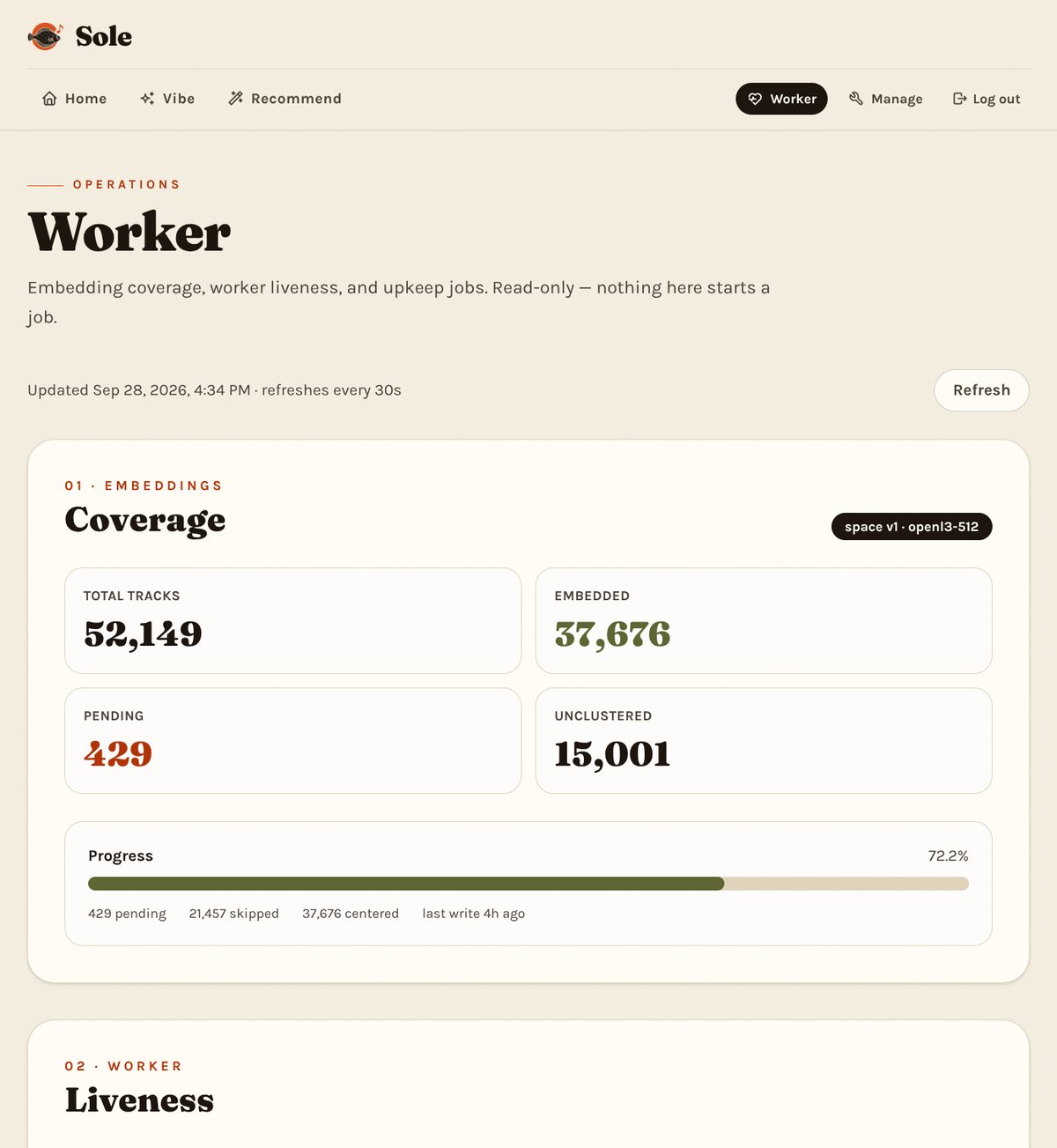
For a separate machine or Colab, follow Embedding workers. The default Compose worker already uses your .env token.
3. Create the centered space
Centering subtracts the library's mean embedding before clustering. It needs at least two analysed tracks. On Worker, click Preview, then Create the centered space. If the page offers Center the remaining embeddings, use that instead. Check that the centered count rises.
4. Create and name vibes
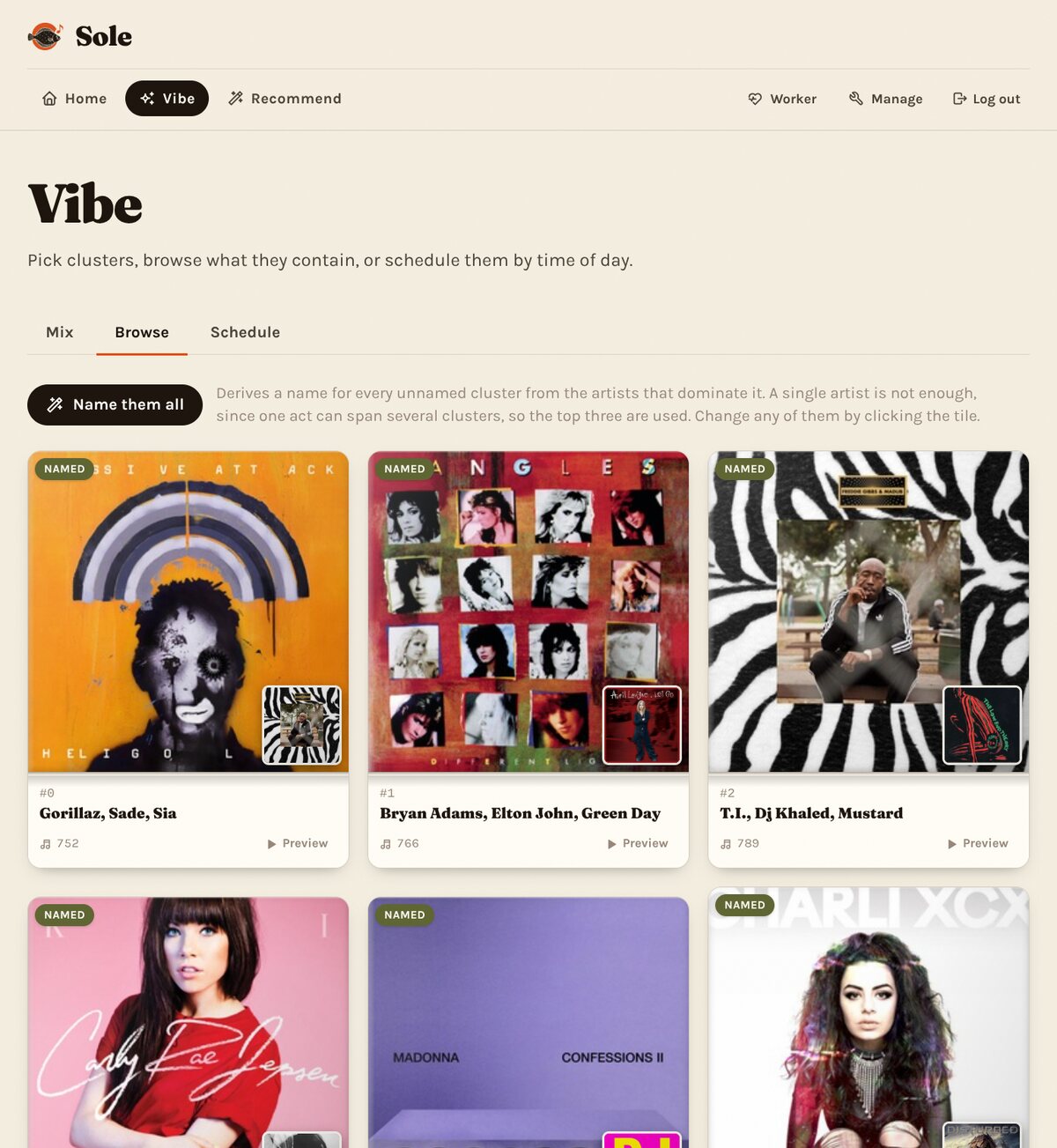
Return to Setup and click Create vibes when it becomes available. Setup waits for 200 analysed, eligible tracks, or all eligible tracks in a smaller library. Clustering also needs centered embeddings. Then click Auto-name missing vibes. Existing names remain unchanged. See the Setup checks for readiness checks.
Open Vibe → Browse to play a cluster.
Add later tracks
You can listen before the full library has embeddings. Manage → Full tidy-up assigns newly analysed tracks to existing clusters. Use the Rust CLI to benchmark or replace cluster assignments.